The chat is the office, in writing.
One panel carries the whole conversation. The boss's replies stream in as markdown, thinking unfolds while the turn runs and tucks itself away after, every tool call leaves a row, and sub-agent labor hangs off the transcript as threads you can open fullscreen.
Replies stream in as markdown.
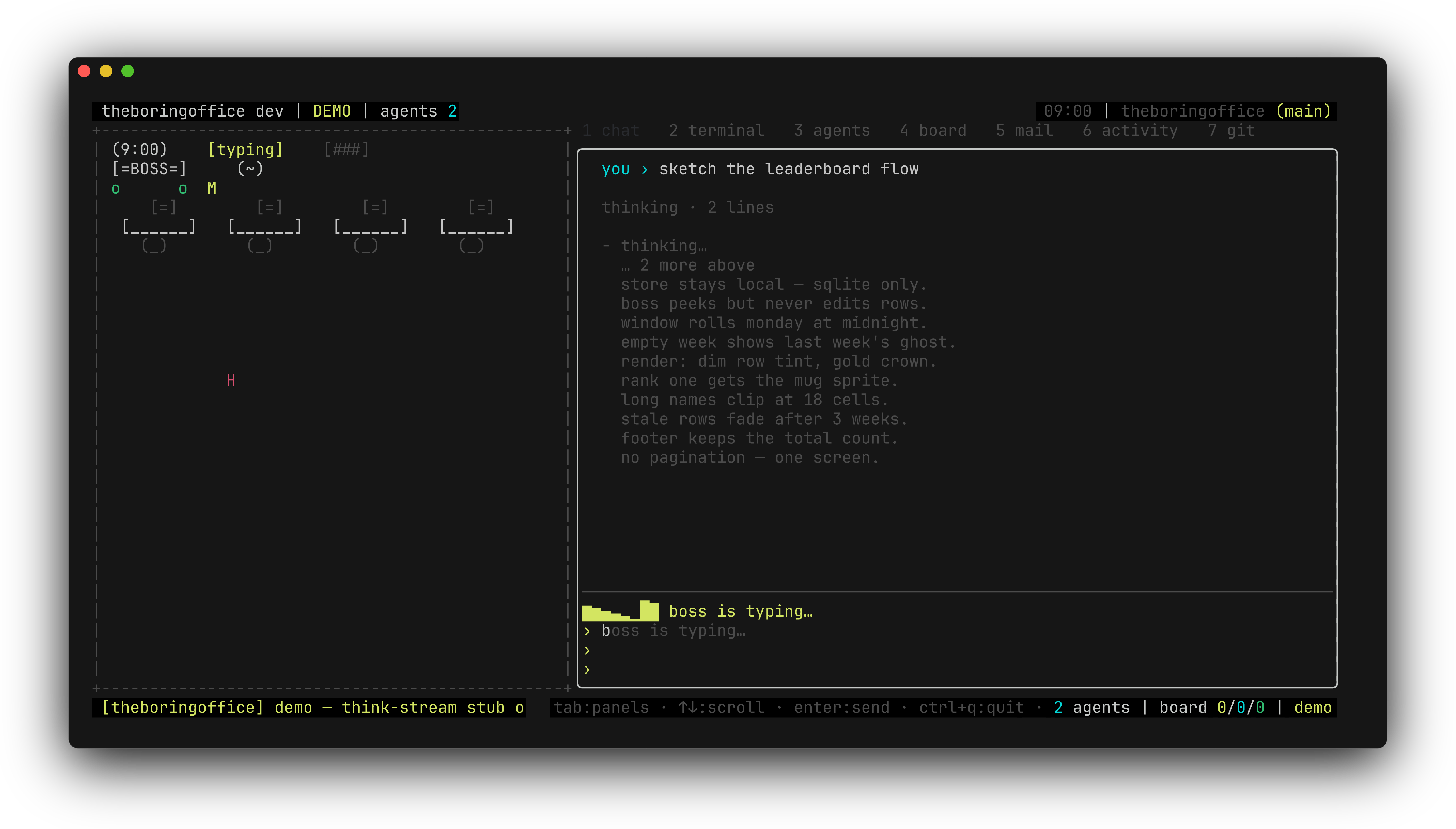
The boss's answer types out character-by-character on a single bubble — no spinner in a corner, no batched dump at the end. The transcript is glamour-rendered, so bold, lists, and code fences format and wrap inside the panel instead of bleeding through the chrome.
While the turn runs, the thinking transcript unfolds in real time above the reply — then folds itself away when the answer lands, so a finished chat reads clean.
Between the two, every tool the boss touches leaves a one-line row in the transcript. The working detail stays visible, not hidden behind a spinner.
A compact marker can restore the boss's recent context.
If a boss has lost its place after context compaction, either backend can emit ⟦recent-messages⟧ on its own line. The office removes that marker from the reply, collects the 20 most recent user, boss, and tool transcript entries, and sends them back as a bounded synthetic follow-up. It is a read-only recovery path: no tool runs and no permission prompt.
To request a different amount, the boss writes ⟦recent-messages: N⟧ on its own line. N is clamped from 1 to 50, and a reply can request recovery only once. The synthetic follow-up is capped at 12KB while preserving the newest content; the chat confirms the handoff as context: sent N recent messages to the boss.
Sub-agent work hangs off the transcript as threads.
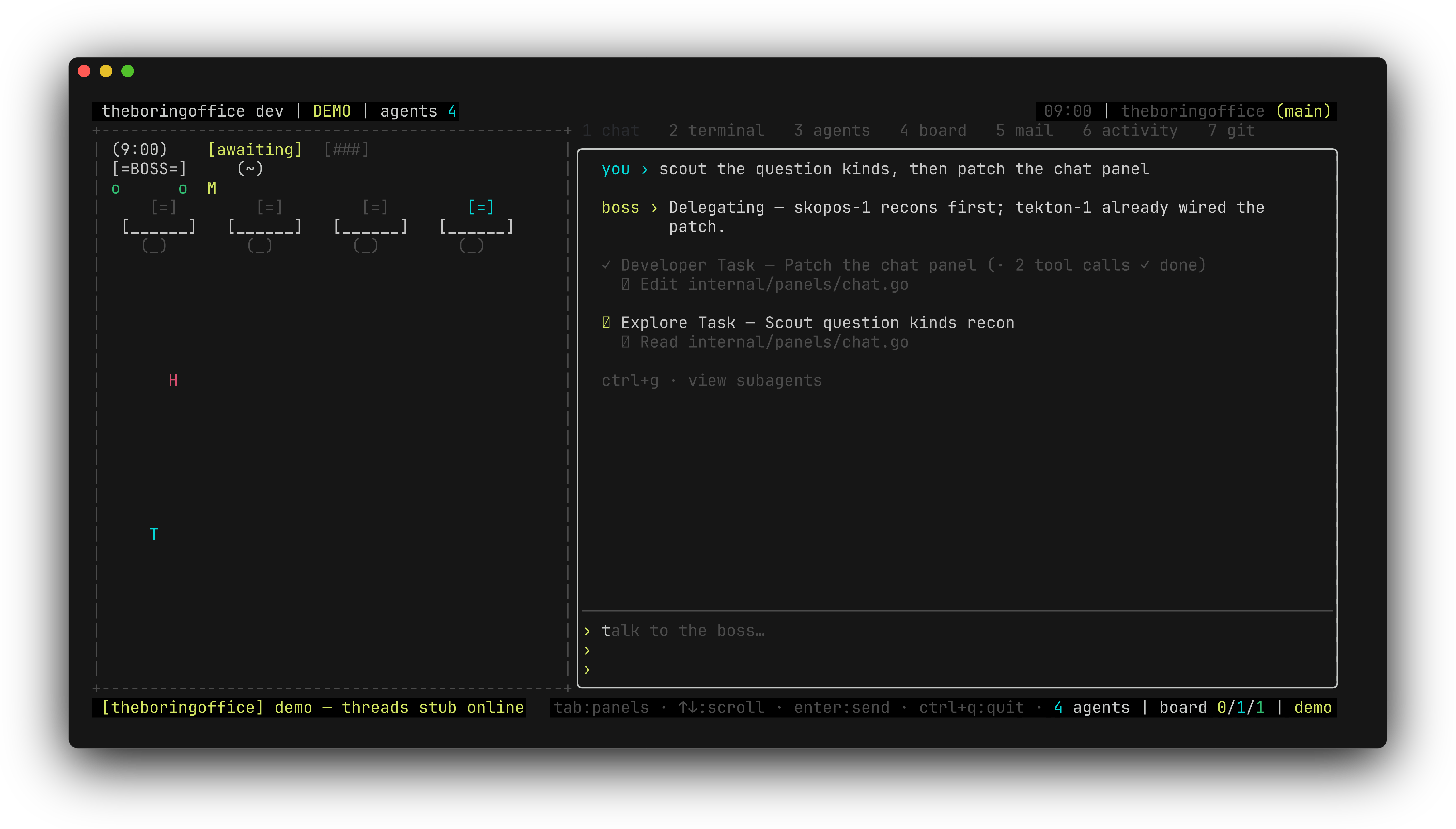
When the office dispatches sub-agents, their labor renders as opencode-style threads right in the chat. A live thread is one collapsed row — a braille spinner, the thread title, a running tool-call count — with a ↳ sneak row previewing the latest action underneath. When the work returns, the row rolls up to a ✓ summary.
⠿ Explore Task — Scout question kinds recon (· 2 tool calls ✓ done)
↳ Read internal/panels/chat.go … running
ctrl+g expands the full thread inline in the chat, and every tool call inside carries its own per-call ↳ diff — line numbers, full-row red/green tints, inline syntax; the same diff the git tab shows. ctrl+d expands or collapses diff blocks on the spot. The full toggle table lives in keys and slash commands.
ctrl+f takes one thread fullscreen.
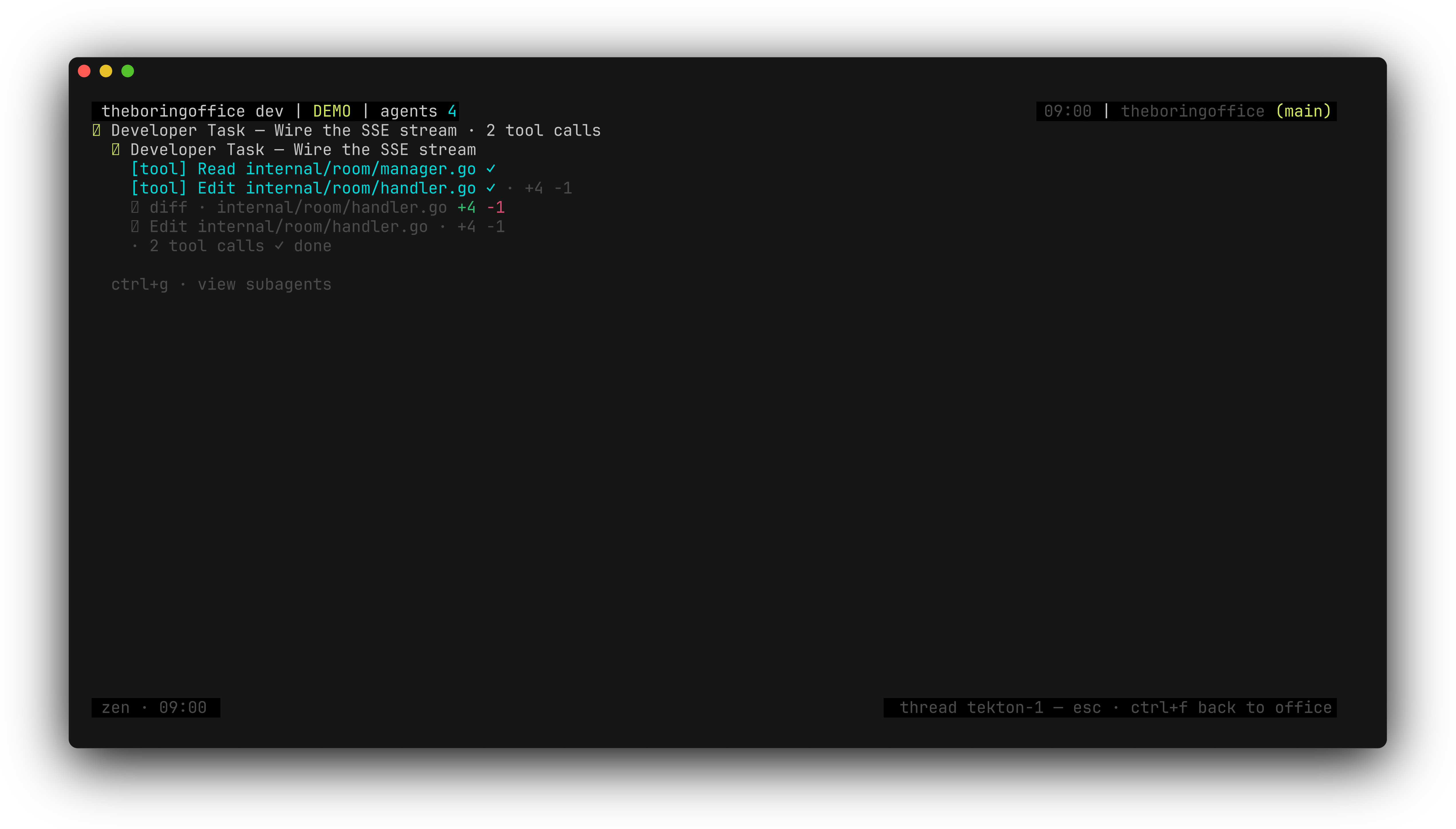
Clicking a thread's frame — the header, its collapsed sneak, or an expanded thread's closing summary — swaps the transcript for a nested focus pane: that agent's complete transcript (every tool call, think body, and per-call diff you can click open) scrolling at the frame width, live-pulsed while it works. ctrl+f opens the pane without the mouse — the most recently expanded thread wins, else any live one.
The statusbar reads esc · ctrl+f back to office, and leaving returns the parent transcript underneath byte-identical — scroll, expansions, and your half-typed draft untouched.
What this doesn't do yet.
scrollback
Walking back past the top of the transcript pages older history in one screen at a time — live sessions only. The demo walks a canned 500-row history; real older history is live-only.
while you focus
Thread focus defers repainting the main chat underneath — deliberate, not broken. Leaving catches the parent transcript up in exactly one pass, scroll position, expansions, and draft byte-identical.
during floats
A question or permission float suppresses the top-of-transcript scrollback gesture. Answer or park the ask first, then walk back.
thinking
Thinking transcripts unfold while the turn runs and auto-collapse when the reply lands. Collapsed is the resting state — ctrl+t re-opens completed blocks, /thinking off hides the lane outright.
Floats are a lane of their own — permission asks and boss questions sit on top of this transcript. Permissions and questions covers them.
next
Permissions and questions
The asks that float over this chat — the 1 of N queue, the question wizard, and the concierge.
next
Plan mode
ctrl+p turns this same chat into a read-only planning pass with an approve gate.
reference
Keys and slash commands
Every binding named here — ctrl+t, ctrl+d, ctrl+g, ctrl+f — plus /thinking, /tools, and /diffs.
start
Getting started
Install, open the demo, and watch a chat like this one run itself.