From curl to a working office in five minutes.
One install line, one demo tour, then a live office with a real boss and working sub-agents. This page is the whole on-ramp — no prerequisites beyond a terminal.
1 · Install
One line puts the binary and its memory service on your machine.
The installer drops the theboringfloor binary (and a tbo shim) on your PATH and wires agentmemory as a reboot-safe service. That memory layer is what makes the task board and mail room real — it is not optional wallpaper.
# binary + agentmemory service, one line
curl -fsSL https://boringfloor.com/install.sh | sh
On Windows, open PowerShell and run this one-liner. It selects the matching Windows release, verifies its SHA-256 checksum, installs theboringfloor.exe and tbo.exe in %LOCALAPPDATA%\theboringfloor\bin, and adds that directory to your user PATH.
# PowerShell — Windows amd64 or arm64
irm https://boringfloor.com/install.ps1 | iex
Open a new PowerShell window after it finishes, then run theboringfloor --demo. Prefer a manual install? Download the matching Windows .zip and checksums file from Releases, verify the SHA-256 checksum, and place theboringfloor.exe in a directory on your PATH.
Want Claude Code as the brain instead of the default opencode? Pass --backend at install time — it seeds brain.json's backend.name so the choice survives every boot. claudecode needs the claude CLI on PATH; a missing CLI is a warning, not a failed install.
# same one-liner, transport pinned at install time
curl -fsSL https://boringfloor.com/install.sh | sh -s -- --backend claudecode
# or pin one boot from the shell (flag > env > brain.json > opencode)
THEBORINGFLOOR_BACKEND=claudecode theboringfloor
The full transport story — including the mid-flight /backend swap — lives on the backends page.
Two browser-lane flags ride the installer. --with-terminal-browser pulls the zenbu terminal-browser bundle — the opt-in embedded lane, default-off now that the browser tab's premium path is headless screenshots. --skip-terminal-browser survives as a deprecated no-op guard: a plain run already skips the bundle, so the flag changes nothing.
2 · First run
Tour first, go live second.
Three ways to boot. Demo mode simulates the whole floor — walkers, mail, the works — and labels itself DEMO so you never mistake the tour for real work. A bare boot is the live office: it spawns opencode serve and the real boss. And --server attaches to an opencode server you already have running, instead of spawning a new one.
# tour: simulated events, labeled DEMO
theboringfloor --demo
# live: spawns `opencode serve`, real boss (oikonomos)
theboringfloor
# attach to an existing server instead of spawning one
theboringfloor --server http://127.0.0.1:4096
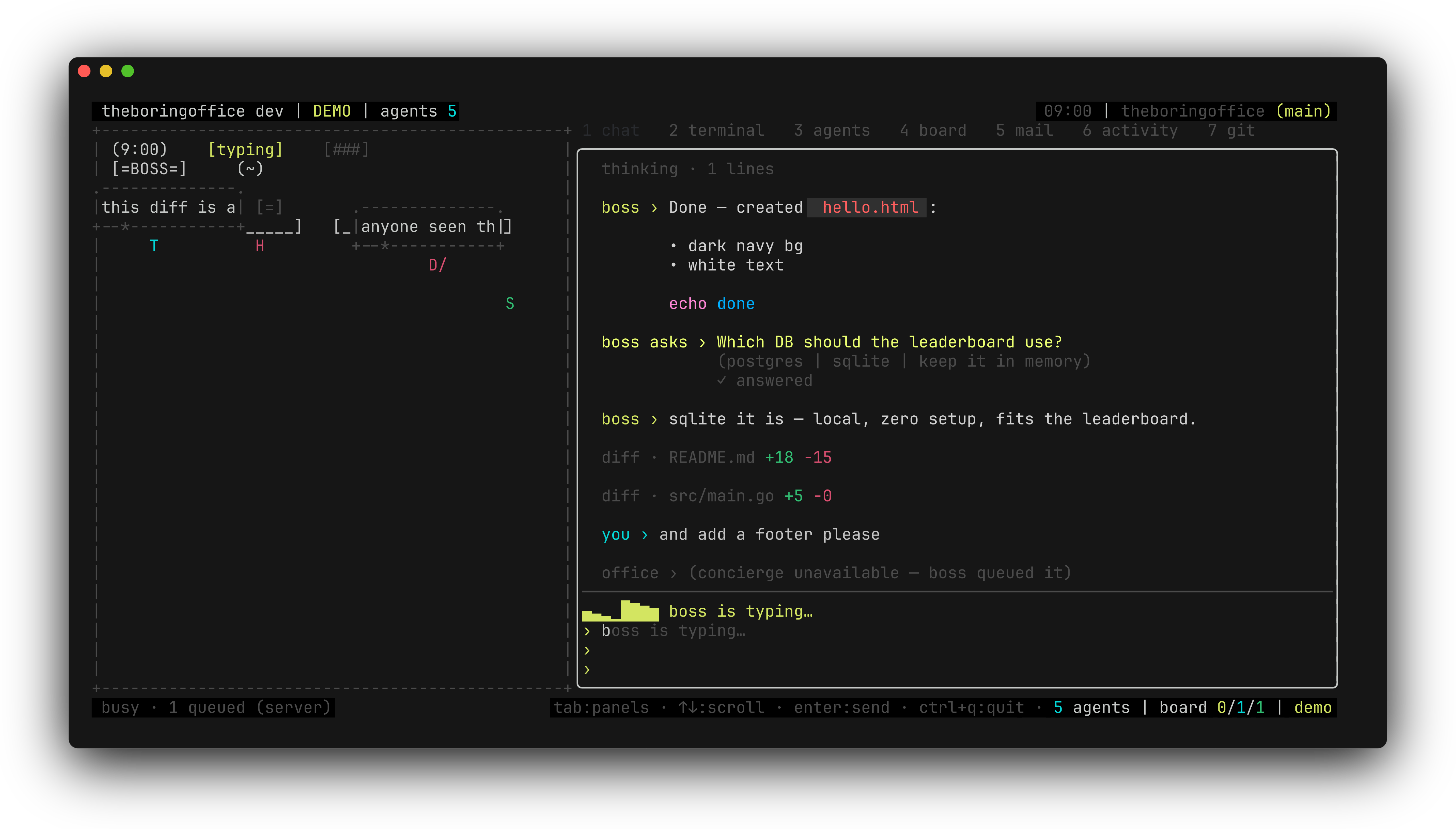
Once you are in, tab cycles the right panel — chat, agents, board, mail, activity, git — and the boss answers in the same window. The full tour of the chat surface is in chat & work threads.
3 · Resume a session
The office re-opens your last chat. You can overrule it.
By default the office restores wherever you left off. To step back into a specific past session, hand it the ID — a bad or forgotten ID never blocks the door, the app warns and boots normally with a fresh one.
# resume a specific past session (short form: -s)
theboringfloor --session <your-session-id>
In-app, /session opens a picker of the past sessions the server keeps for this directory: type to narrow, ↑/↓ move, enter accepts, esc cancels with no side effects. Accepting switches the office live and the choice sticks to the next boot. If the boss is mid-work the switch is refused — /stop it or wait. With no server list to show (demo mode, server down), /session falls back to printing the current ID and where it lives on disk so you can note it down for the flag later.
Session IDs are pinned per transport — swapping backends never cross-pinches sessions. The mechanics are on the backends page.
4 · Where your brain lives
One config file, one session file per working directory.
The whole office is run by ~/.theboringfloor/configs/brain.json — created with defaults on first run, inspectable anytime with theboringfloor --print-default-config. Session state lives per working directory at ~/.theboringfloor/projects/<dirhash>/session.json, so two projects never share a floor.
Upgrading from an older build? Nothing to migrate by hand: old ~/.theboringfloor/sessions/<dirhash> session files and the pre-rename ~/.grafeio config, theme and sessions are still READ — writes land on the new paths only — and GRAFEIO_* env vars keep working as fallbacks for the THEBORINGOFFICE_* ones.
The installer wires opencode and claudecode only — Codex, Cursor, and Pi are still marked "(Coming Soon)" elsewhere on this site. And --session restores sessions for the working directory you boot from, not another one's history. Next stops: backends, then the keys & slash commands reference.