You don't memorize this list. The popover does.
Every command in the office sits behind one discovery surface: type / and narrow. The tables below are the reference copy — grouped by where your hands already are.
The slash popover is how you find everything.
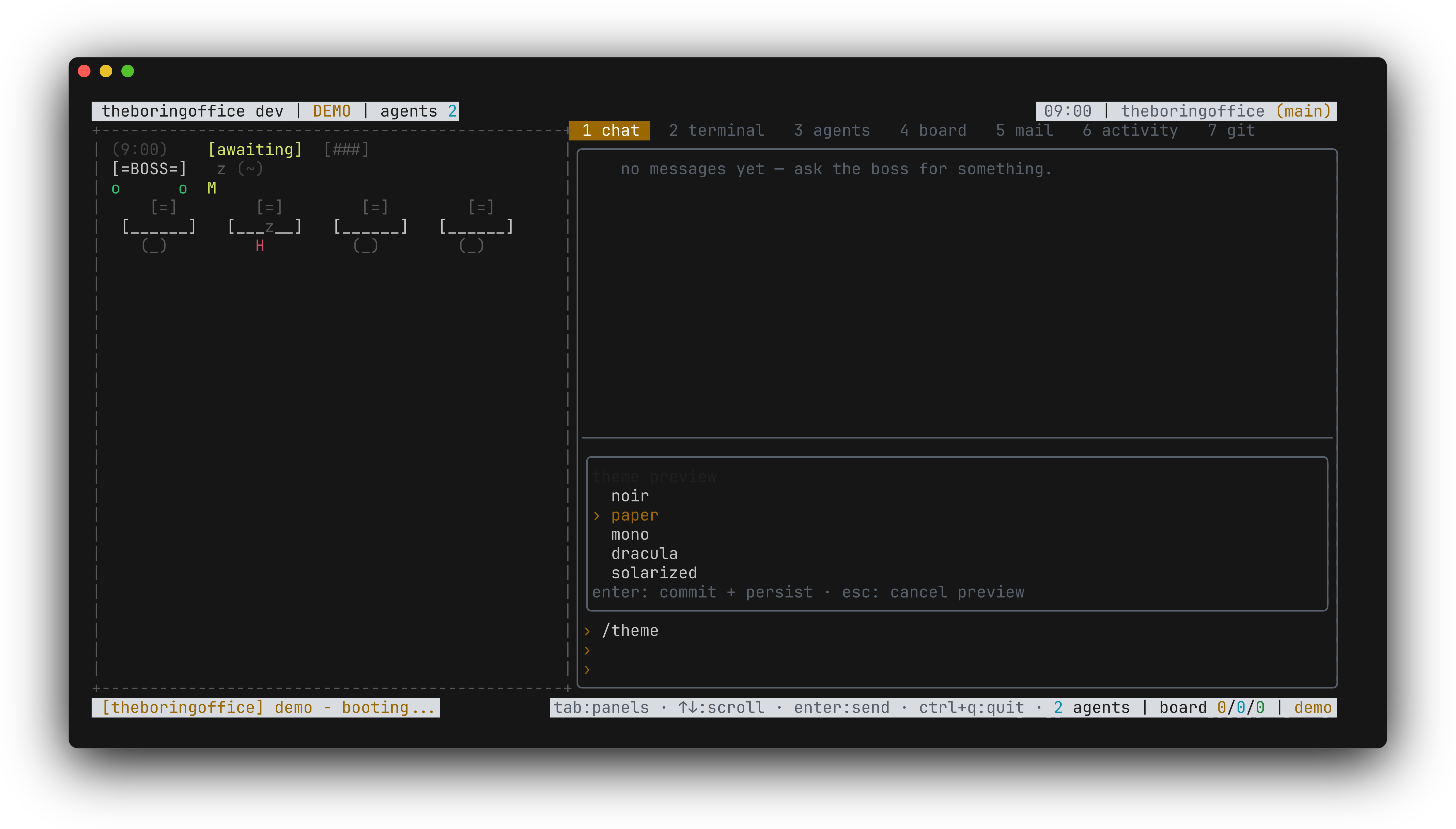
/ at a word start opens the picker. Keep typing to narrow it: /th filters to /theme, /themes, /thinking. Arrows move through the matches, enter or tab accepts, esc walks away clean with no side effects. Arrowing through the /theme matches applies each theme as a live preview while you pass it — accept and it sticks; escape and the office settles back to what it was.
That popover is the intended way to learn the office — the reference table further down this page is what it is filtering.
The keys, by where your hands are.
Navigation
Panes
Chat composer
Attachments stage as dim paperclip chips above the input — capped at five, the oldest drops past the cap — ride the message queue like text, and go out as prompt file parts; the echoed bubble shows an attachment-count suffix. /clear or a send clears the chips.
Pastes route to the focused surface, one deliberate path. In the chat input a paste over twenty lines or two thousand chars collapses to a one-line [pasted N lines · M chars] chip — it deletes as a single backspace unit and expands back to the full text on send. A question dialog's free-answer field takes a multi-line paste verbatim. The terminal tab wraps the paste in bracketed-paste markers for the shell. And picker filter inputs — /model, /session, @ — take paste as filter text.
Threads
Terminal tab
Browser tab
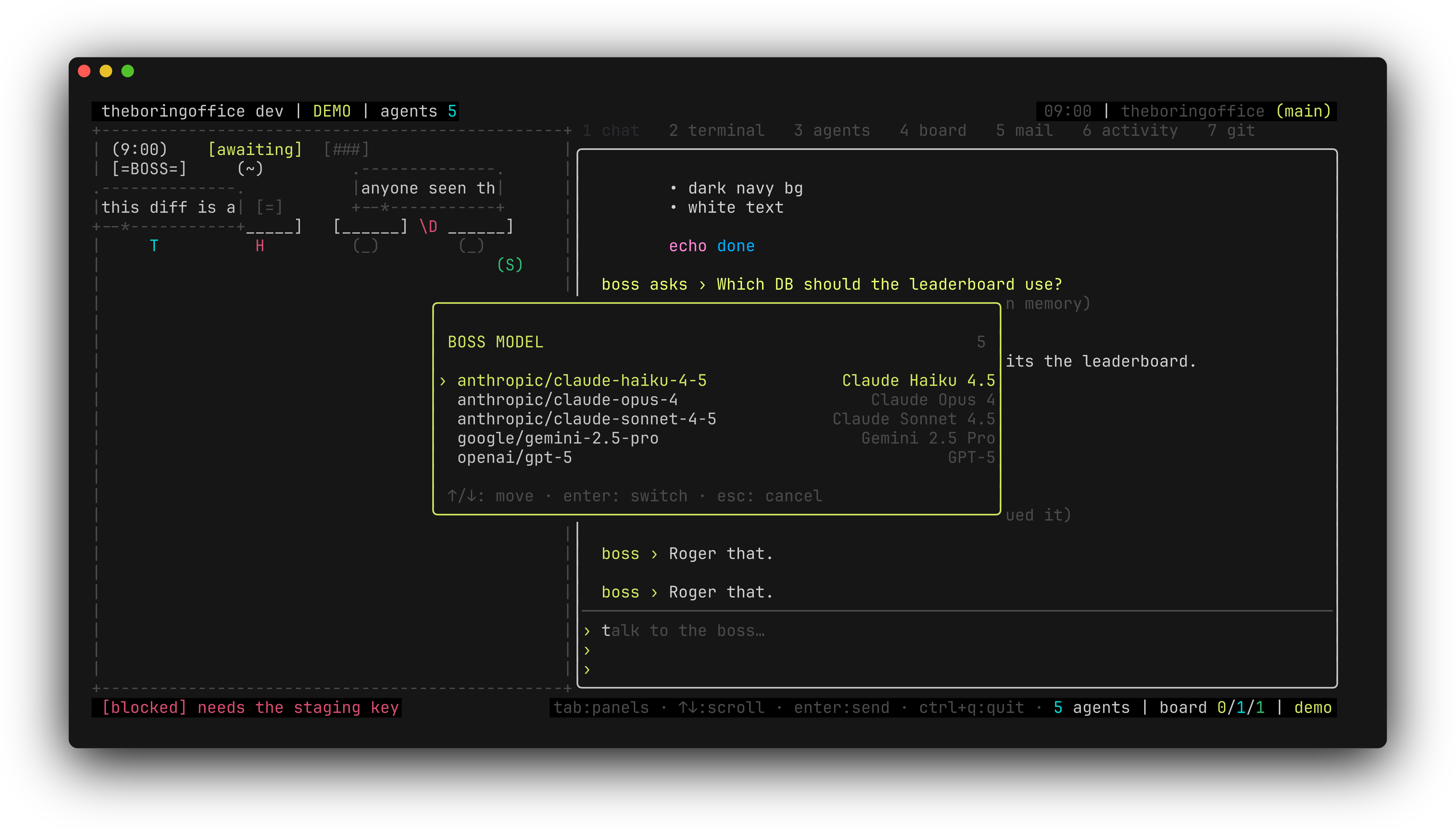
/model swaps the boss's brain, and it writes back.
Find /model in the popover, then hand it the full id as /model provider/model — for example /model anthropic/claude-sonnet-4-5. From then on the choice rides every boss prompt as a {"model":{"providerID","modelID"}} pair, and the command writes back to brain.json like /power and /theme do, so the next boot keeps it.
One honest caveat from the engine room: role models ride as best-effort notes. Which model a sub-agent actually gets is opencode's call at dispatch time, not the office's.
The picker filters as you type: a filter: … row shows the live query, the title badge runs N/M (narrowed of total), a dead query says (no matches), backspace edits, ctrl+u clears, and esc clears a live filter first — a second esc closes the picker. Pastes land in the filter too. The /session picker and the @ attach picker filter the same way.
The full command table, grouped.
These are office commands — anything the picker doesn't list is sent to the boss as plain text.
Agent context-recovery tool
The queue
The work
Popovers
Permissions
Bypass permissions. /bypass is the deliberate escape hatch: agents run tools and browser actions without asking, for this office session only. Enabling asks for an explicit confirm first; disabling is instant. While on, every tab's topbar carries a loud ⚠ BYPASS segment, and any ask that still slips through — including the office's own browser-action prompt — is auto-approved with a dim log row in the transcript. Toggling respawns the backend so the mode actually reaches the agent (claude resumes your session context), and every boot starts with bypass OFF. On opencode the office-owned child receives an ephemeral OPENCODE_CONFIG_CONTENT allow-all override; the member's .opencode/opencode.json, parent environment, and brain.json stay byte-identical. Claude writes nothing at all. The full story lives with the permissions docs.
Display
Floor & power
Boss & memory
Meta
Two quiet channels worth knowing.
Sounds. The office has a small vocabulary of synthesized chimes — queued, send, reply, done, dispatch, alert, error. ui.sounds in brain.json takes on, bell or off, and THEBORINGFLOOR_MUTE=1 silences it from the environment. The sounds library plays every chime and serves the WAVs.
The clipboard. Drag-select over the chat transcript and the span copies through the terminal's OSC52 clipboard on release, with a transient Copied N chars note on the status bar; esc or a plain click clears the highlight. The terminal tab adds pbcopy, wl-copy, xclip or xsel ahead of OSC52 — the details live with the terminal tab docs.
What this doesn't do yet.
- Keys are fixed. brain.json has no remap key — the table above is the table.
- Attachments are files and images. The
@picker andctrl+vimage paste are the whole staging surface. - OSC52 depends on the terminal. A terminal that strips OSC52 keeps the host-clipboard paths only — the copied note stays honest, the pasteboard stays empty.