
Plan first. Then let the crew build.
One key flips the office from building to planning. The boss plans read-only, only real plans earn the floor-slot pane, your edits survive the next reply, and one more key hands the approved plan back to the build crew.
ctrl+p flips the mode, not the conversation.
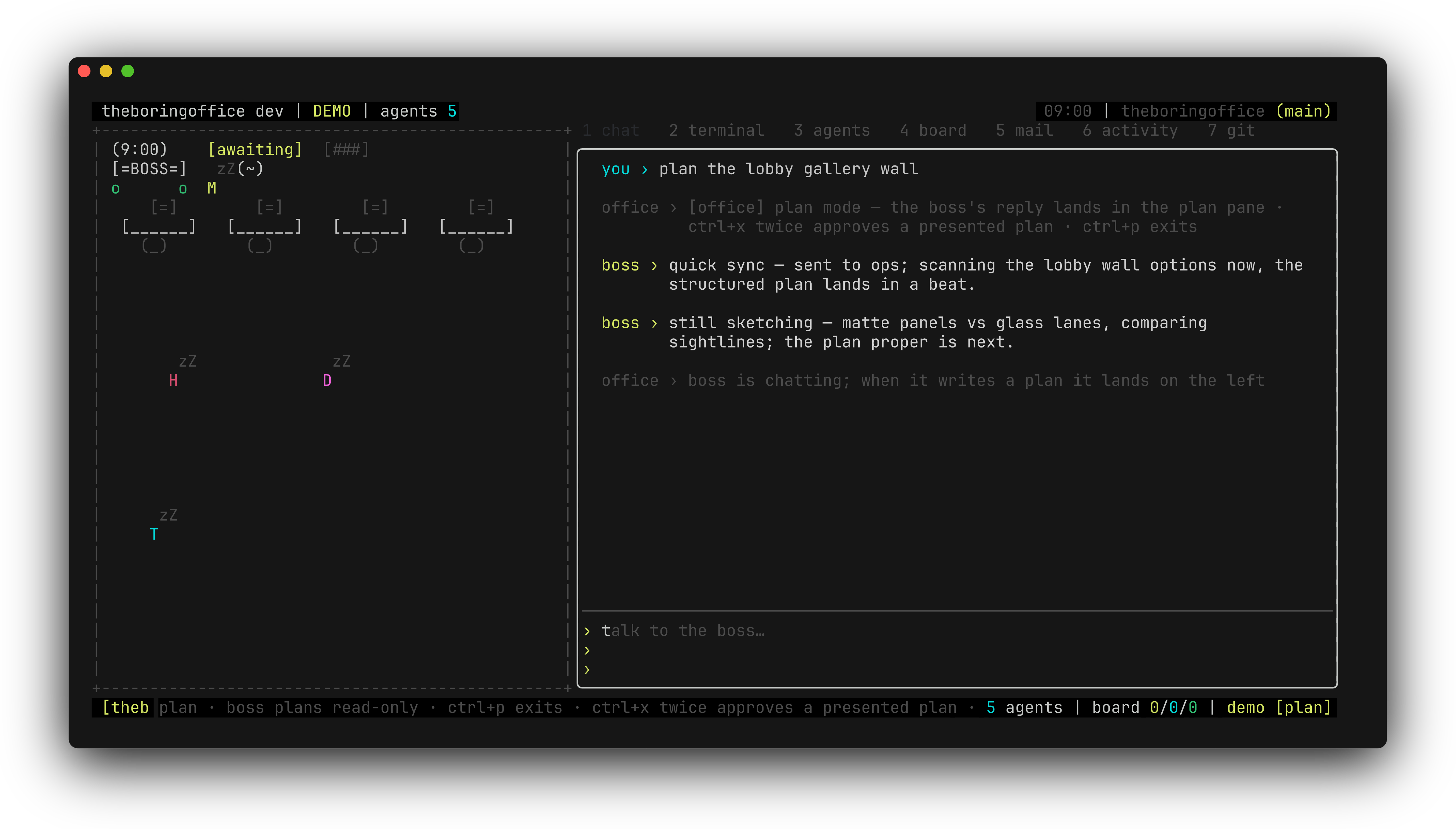
ctrl+p moves the office between build (the default) and plan — a mode toggle only. The statusbar wears a [plan] badge, prompts ride the read-only plan agent, and chat keeps focus: you keep talking the way you already do. The plan pane stays hidden until it has content — an empty mode opens nothing.
The status line keeps the mode honest: plan · boss plans read-only · ctrl+p exits · ctrl+x approves a presented plan. Read-only means the planning pass cannot run tools against your tree — it thinks, it drafts, it waits.
Chatter never presents as a plan.
A completed boss reply mirrors into the floor-slot pane passively — you keep typing while it lands — but only when it looks like a plan. Plan-shaped replies present; status chatter doesn't. When a reply is just noise, the pane keeps its last plan and one dim note explains why nothing changed.
Want to draft instead of waiting? Click the pane region to scratch a fresh plan from the starter template — a mermaid block comes with it, rendered read-only under a ╭─ mermaid diagram ─╮ caption in the presentation view.
Once it presents, the plan is yours to edit.
When a plan-shaped reply lands, the hint swaps to plan · click to edit · ctrl+x approve → build · ctrl+p exits. Click in and edit until it reads like your plan, not the office's guess — edits latch the pane as yours, and a fresh boss reply leaves your version untouched (one dim note: boss replied — your edited plan kept). esc steps back to chat with the draft intact, and mermaid diagrams render inline in the read-only view.
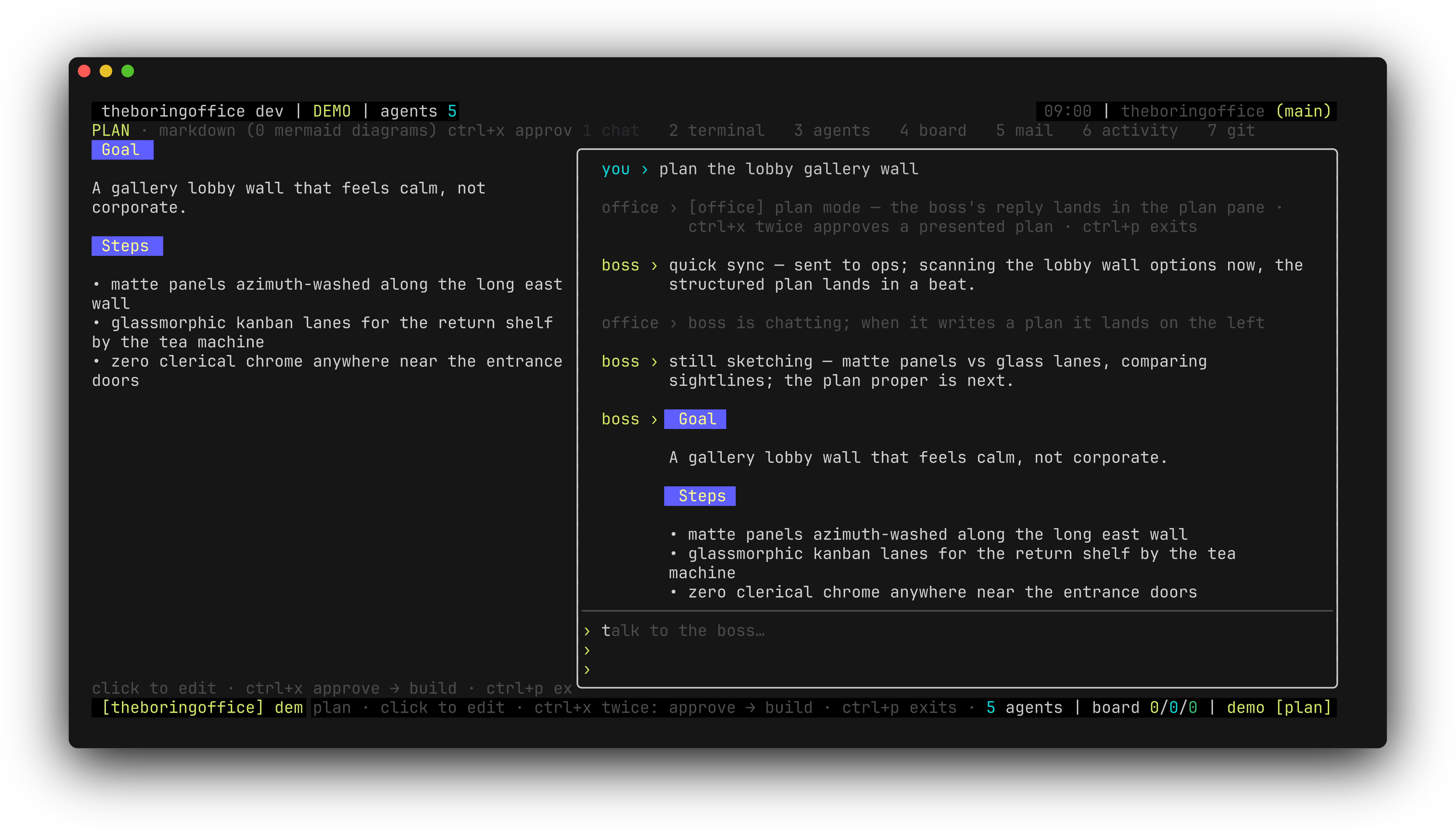
ctrl+x hands the plan to the build agent.
ctrl+x approves: the office sends Approved plan — implement it exactly as specified: plus your plan body to the build agent and flips the mode back to build, badge off. An empty buffer — or the untouched starter template — is refused with a notice, not sent as hollow instructions.
Approval changes who gets the prompt — nothing else. Every permission ask the build run raises still stacks in the permission queue with your call on it, and the work itself shows up in the chat as work threads.
What this doesn't do yet.
when ctrl+p refuses
The toggle will not flip while you are shell-captured in the terminal tab, or while a question or permission float is open. Answer the ask first, then plan.
hollow plans
ctrl+x refuses an empty buffer and the untouched starter template alike — the office will not hand the crew a plan nobody wrote. Both refusals land as a notice, never a silent drop.
what persists
What survives a reboot is the plan buffer — and only when it is non-empty, edited past the starter, and plan-shaped. Treat the mode as a working state, not a setting.
approval is not exemption
Approving a plan changes who gets the prompt. It does not approve permissions: every ask the build run raises still stacks as 1 of N with your call on it.
next
Permissions and questions
Approval flips the mode — the asks the build run raises still go through this queue.
related
Chat and work threads
The chat that keeps focus while the plan pane presents in the floor slot.
related
Backends
Plan agent and build agent ride the same pinned transport — opencode or Claude Code.
start
Getting started
Tour the office in demo mode and try ctrl+p yourself.